Create integration keys and check your API usage
Create login links, integration keys and API keys for your account, switch them off when you are done, and see every call your own apps made with them.
starterprobusinessYou’ll need: Account owner access, on a paid plan. The free plan does not include API access.
An integration key lets something outside the app act on your account: a link that signs you in, a checkout tool that needs to prove it is talking to you, or your own software calling the Tayon API. This article covers creating those keys and reading the log of what your API keys did.
Both screens are in your account menu — choose your name in the top bar.
Account menuIntegration Keys
#The three kinds of key
| Key Type | What it is for |
|---|---|
| Login | Key for automatic login links. A web address that signs you straight in, with no password. |
| Integration | Validation key for external tools (e.g. checkout). Paste it into a tool that asks for one. |
| API Key | Authenticates requests to our REST API. Give it to the developer or app that calls Tayon on your behalf. |
#Create a key
- Open your account menu and choose Integration Keys.
- Choose New Integration Key.
- Give it a Name that says where it will be used — “Website checkout”, “Reporting script”. Each name can only be used once.
- Pick the Key Type.
- Check the Key Expiration Date. It starts 90 days ahead; choose any future date.
- Choose Save.
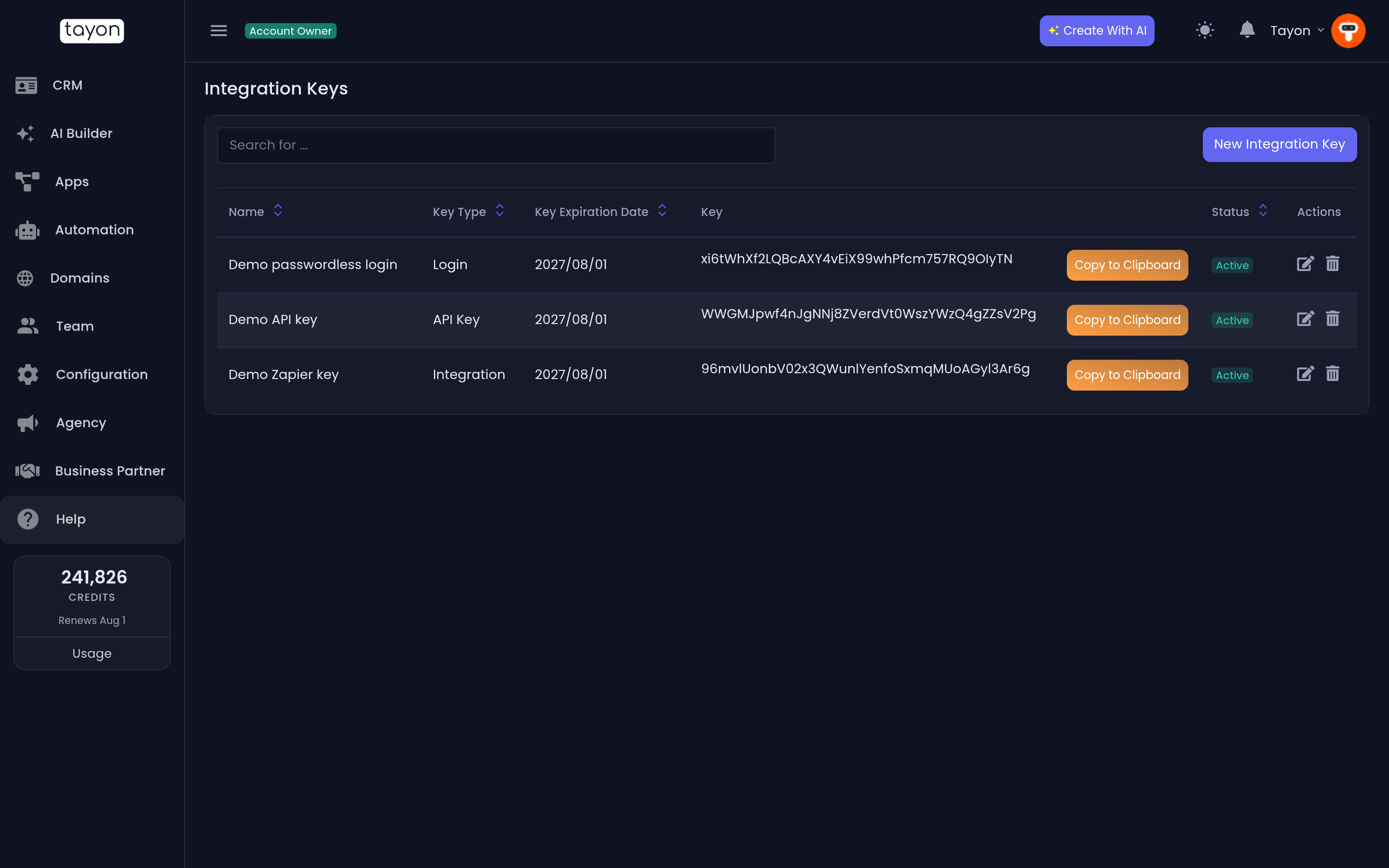
The list shows each key’s Name, Key Type, Key Expiration Date, Key and Status. Copy to Clipboard next to a key copies it. An expiration date in red has already passed, and the key no longer works.
For a Login key, open it with the edit icon: the Key field holds the full sign-in address, ready to copy — Use the link above to login.
#Switch a key off, or delete it
- Status in the list is a switch: choose Active to make it Inactive, and the key stops working straight away. Choose it again to turn it back on.
- The edit icon lets you rename a key, change its type or extend its expiration date.
- The bin icon deletes it for good.
Switching a key off is the safer first move when you are not sure what still uses it — if something breaks, turn it back on.
#See what your API keys did
API Usage, just below Integration Keys in the account menu, is the log of everything your API keys did. Messages sent through the API go to anyone, not only to leads in your CRM, so they do not appear in a lead’s history — this is the only place to see them.
Account menuAPI Usage
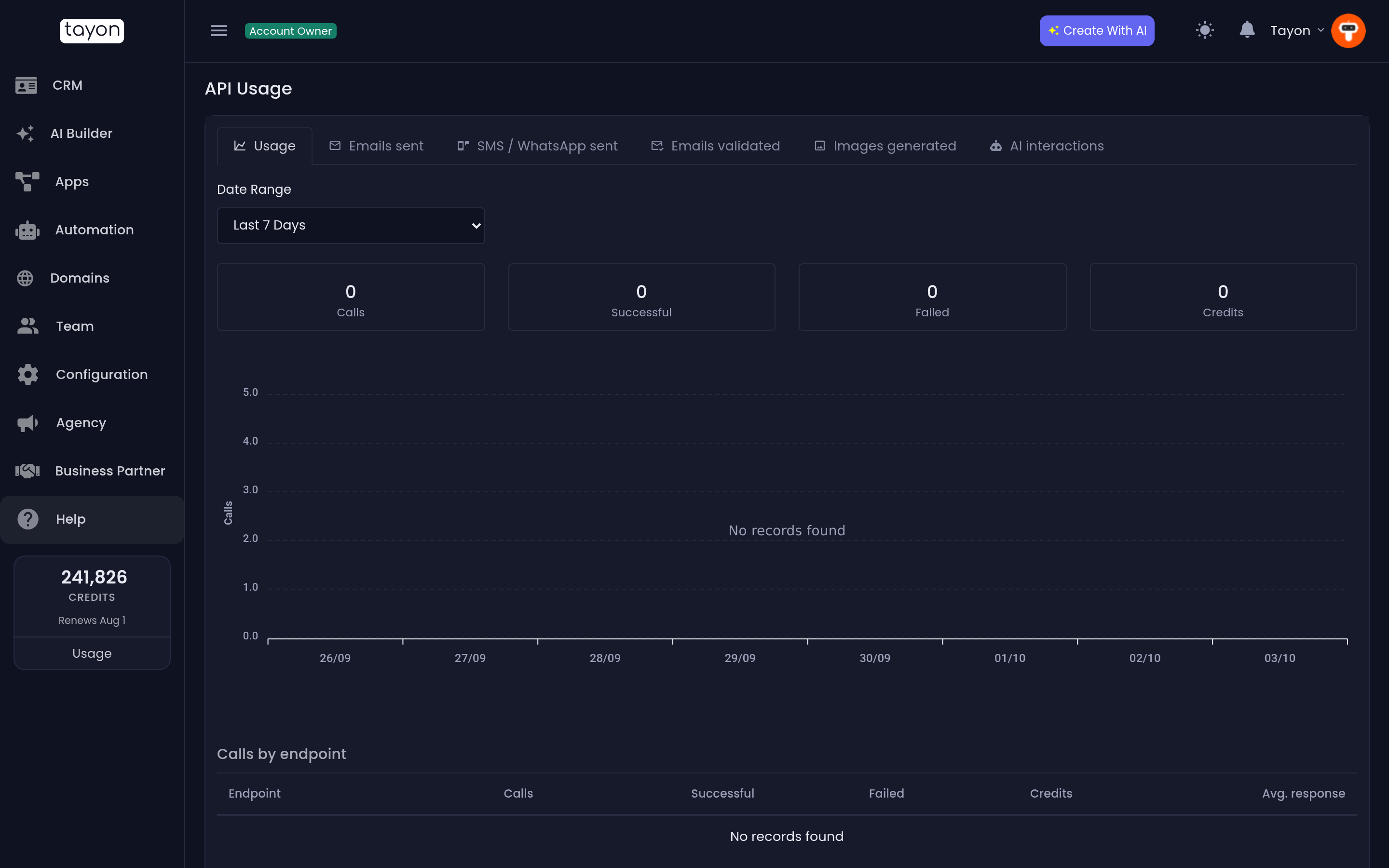
Pick a Date Range — from Last 24 Hours up to Last 90 Days — then a tab:
| Tab | Shows |
|---|---|
| Usage | Totals for Calls, Successful, Failed and Credits, a chart over time, Calls by endpoint, and Recent failures |
| Emails sent | Each email, its recipient, and whether it is Queued, Sent or Failed |
| SMS / WhatsApp sent | The same, for text and WhatsApp messages |
| Emails validated | Each address checked, with the result — Valid or Bad — and a Did you mean suggestion when there is one |
| Images generated | Each image and its prompt, with Open image |
| AI interactions | Each AI request and its prompt |
On every tab except Usage you can search — by recipient, or by prompt.
#Limits
The API limits panel on the Usage tab states the limits that apply to every account:
- 120 requests a minute. Calls over that are refused and are not logged.
- Email: 100 an hour and 500 a day, shared with your campaigns. A bulk send queues what fits and reports the rest as rejected.
If you need more, contact support.
Generated images are deleted 90 days after they are created; older rows show Expired.
#When it goes wrong
The menu items take me to the plans page. API access is not on your plan. Upgrade to any paid plan.
My app gets refused although the key looks right. Check the key’s Status is Active, that its date is not in red, and that it is an API Key — an Integration key will not work for API calls.
An API call does not appear in API Usage. Calls refused for a bad key or for going over the rate limit are not logged. Check the key first.
Updated: