Import an existing website
Upload your site's HTML files — a ZIP of the whole site or a single .html page — and Tayon rebuilds it as a site you can edit, translate and publish.
You’ll need: An account with credits available.
If you already have a website as HTML files, you do not have to describe it to Tayon. Upload the files and each section is rebuilt here with your text, images, colours and layout. You can then edit it like any site you built with AI.
This works for a site you wrote by hand, exported from another builder, saved from your browser or made with a coding assistant. If all you have is the live site, rebuild it from screenshots instead.
#What to upload
- A ZIP of the site’s folder, with your pages (.html), stylesheets (.css)
and images.
index.htmlbecomes the home page. - Or a single .html page, uploaded as it is. You do not need to zip it.
The ZIP can be up to 20 MB, and up to 80 MB once unpacked.
#Start the import
There are two ways in.
From the start screen (on Home or in AI Builder):
- Under the description box, find Or start from something you already have.
- Choose HTML files (ZIP), then Choose file, and pick your ZIP or .html file.
- Wait for the chip Site files attached to appear.
- Choose Start building.
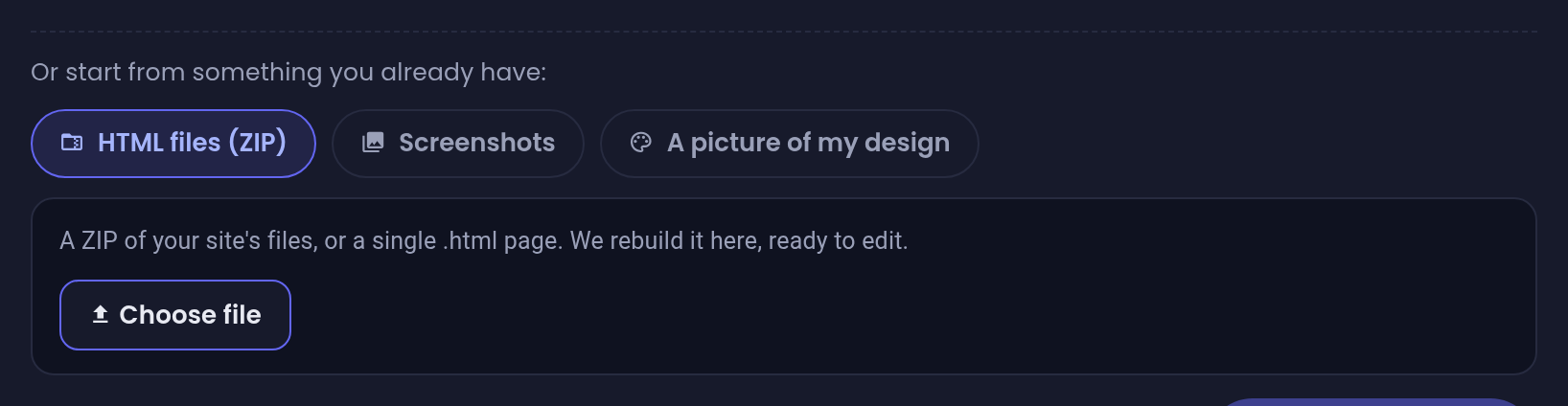
The files are a website, so Website is ticked for you and stays ticked. The description box becomes optional, because your site already says what the business does. Use it only for something to add or change.
Tick Conversational Form or Customer Service Agent as well, and they are built from your site too. The build then starts straight away, without the report described below. See Build everything at once.
From the website builder:
- Open the website builder on an empty site, where it says Let’s design your website.
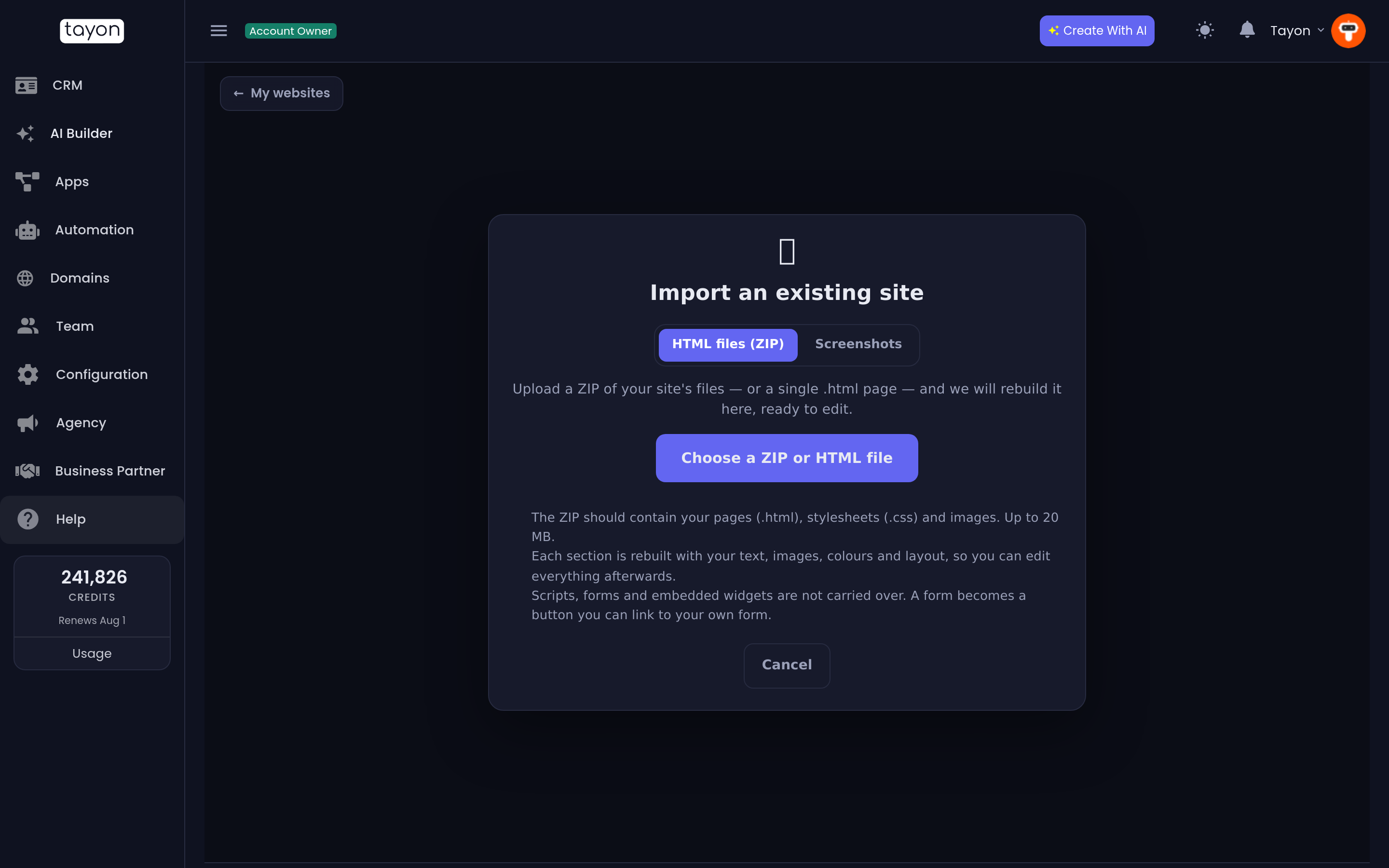
- Next to Already have a website as HTML files?, choose Import an existing site.
- Stay on the HTML files (ZIP) tab and choose Choose a ZIP or HTML file.
#Read the report
The screen reads Reading your site… while Tayon opens the files and works out the pages and sections. This takes a moment, and nothing is built or charged yet. You can Cancel while it runs.
Then you see Ready to rebuild your site:
- what was found, for example We found 3 page(s), 14 section(s) and 22 image(s)
- each page, with its number of sections
- What will not be carried over — a list of anything that will not make it into the rebuild
Check that list before you go on. These are the most common entries:
| Entry | What happens |
|---|---|
| Scripts, fonts and documents | Not carried over. Only pages, styles and images are used |
| Forms | Each form becomes a button. Link it to your own Tayon form |
| Embedded videos or frames | Left out. Add them back from the editor |
| Images that are not in the ZIP | Replaced by placeholders you can fill in |
| Links to files that are not in the ZIP | Shown as plain text |
| Pages or sections beyond your plan’s limit | Left out |
#How much is rebuilt
An import takes up to 12 pages, and fewer if your plan allows fewer. On a paid plan, each page can have up to 30 sections, with 60 across the site. On a plan with its own section limit, each page can have up to 20 sections, and the site can have no more than your plan allows. Anything beyond that is listed in the report and left out.
#Rebuild it
Choose Rebuild this site (about N credits). You see the usual build progress screen, and the finished site opens in the visual editor.
The result is a close rebuild, not a pixel-perfect copy:
- Colours are matched to the site’s own colour scheme, so a slightly different shade can come out as its nearest neighbour.
- Spacing and type sizes are close, but not identical.
- Font files are not carried over, so a custom font can look different.
- None of your original code is used. That is why every part of the result can be edited.
The site is written in the language of your pages. It is a draft until you publish it.
#If the upload is refused
Some files can be refused before the report appears. The message says why.
| Message | What to do |
|---|---|
| That ZIP is password-protected. | Make a new ZIP without a password. |
| That ZIP holds a project’s source code, not finished pages. | Build or export the site first. Then zip the folder that holds the finished .html files, often called dist, build or out. |
| This site is drawn by JavaScript in the browser… | The pages are empty until a browser runs them. Export the site as static HTML, or use screenshots. |
| That ZIP contains another compressed file instead of the site. | Unzip it, then zip the folder that holds index.html. |
| That file is too large. The limit is 20 MB. | Remove large videos and downloads, or upload the main page on its own. |
| The files in that ZIP are too large once unpacked. The limit is 80 MB. | Same fix: remove what the site does not show. |
| That ZIP has too many files. | A ZIP can hold up to 400 files. Remove folders such as node_modules. |
| That file is not a ZIP archive or an HTML page. | Turn a RAR, a 7z or a folder into a ZIP first. |
| We did not find any .html pages in that ZIP. | Check that the ZIP holds the pages themselves, not a shortcut to them. |
#If the rebuild does not finish
The screen shows The rebuild did not finish. Your upload is kept, so you can choose Try again without uploading it a second time. A rebuild that does not finish costs nothing.
Tayon keeps an upload for seven days. After that, upload the files again.
Updated: